Category: business development

  • Why Business Partnerships Fail Before Year One

    Why Business Partnerships Fail Before Year One

    Most business partnerships that fall apart in the first year were in trouble before the ink dried. The market didn’t shift, the product didn’t fail, and nobody acted in bad faith. The agreement simply never resolved the questions that would eventually become arguments.

    The most common culprit is a confusion between enthusiasm and alignment. Two companies find each other genuinely complementary, the early conversations go well, someone suggests putting something in writing, and the paperwork ends up reflecting what both sides hoped the relationship would be rather than what they had actually agreed on. It is a remarkably easy mistake to make, and it tends to surface at the worst possible moment: when a customer complains, when a big deal is on the table, or when one party quietly starts working with a competitor.

    The gap between intent and operating reality

    A partnership agreement that defines the goal but not the day-to-day is an argument waiting to happen. Who owns the customer relationship? If a client comes in through your partner’s network but renews directly with you, does the partner still earn commission? Who handles complaints, who can discount on whose behalf, and who speaks to the press if something goes wrong? These are not edge cases; they are the ordinary texture of a commercial relationship. If your agreement doesn’t answer them, goodwill is filling the gaps, and goodwill has a habit of running out.

    Document the operational logic, not just the commercial intent. That means specifying, in plain language, where one party’s responsibility ends and the other’s begins, down to customer support handoffs and invoicing.

    Misaligned growth ambitions

    A subtler problem is when both parties want the partnership to succeed but for different reasons, on different timescales. One company is playing a long game, building a channel that will matter in three years. The other needs pipeline this quarter and expects referrals immediately. Neither is wrong in isolation, but together they will frustrate each other constantly, and that friction tends to be read as a lack of commitment rather than a structural mismatch.

    Before signing anything, ask your prospective partner directly what success looks like at six months, at eighteen months, and at three years, then listen carefully to whether those answers are compatible with yours. If the timescales don’t match, that needn’t be a deal-breaker, but it does need designing around, perhaps by building short-term milestones that give the impatient party something tangible while protecting the longer-term vision.

    The wrong partnership type for the actual goal

    Referral agreements, reseller arrangements, co-sell partnerships, and joint ventures are genuinely different things with different risk profiles, different revenue implications, and different levels of operational entanglement. A referral agreement is light-touch: your partner mentions you to their clients, you pay a commission if a sale results, and the relationship stays fairly arms-length. A reseller arrangement is considerably more involved; your partner takes ownership of the sales process and often the customer relationship, which means your brand is largely in their hands. A co-sell motion, where both parties show up to the same deal together, sits somewhere between the two in complexity but tends to produce the largest deals when it works.

    Picking the wrong type wastes months. A company that needs controlled brand representation but agrees to a full reseller model will spend the next year firefighting. A company that needs volume and geographic reach but signs a referral agreement because it feels less risky will wonder why nothing is moving.

    What a good early warning looks like

    If a prospective partner is reluctant to define success metrics before signing, that is worth heeding. It doesn’t necessarily mean bad faith; it often means they haven’t thought carefully about what they want from the arrangement, which is arguably more worrying. Partnerships that begin without agreed KPIs tend to drift, and drift is very hard to reverse once both parties have mentally moved on to other priorities.

    The other warning sign is urgency that discourages scrutiny. A partner who wants to move very fast, skip legal review, or treat the agreement as a formality is either inexperienced or has reasons to avoid careful reading. Slowing down is the right response either way. Partnerships that are genuinely good opportunities don’t evaporate because you spent an extra fortnight getting the terms right.

    The most durable partnerships, the ones that generate real revenue and survive personnel changes on both sides, almost always start with conversations that both parties found slightly tedious. The awkward questions about money and responsibility got worked through before anyone was under pressure, and the resulting document was one neither side needed to revisit in a hurry. That kind of groundwork is not glamorous, but it is the only part that actually determines whether any of this lasts.

  • Website Heatmap Click Analysis: What Visitors Actually Do

    Website Heatmap Click Analysis: What Visitors Actually Do

    Your Google Analytics can tell you that 2,400 people visited your pricing page last month. What it cannot tell you is that most of them clicked the logo in the top-left and bounced straight back to the homepage, completely skipping the “Start free trial” button you spent three weeks arguing about. That is the gap website heatmap click analysis fills, and it is a surprisingly wide one.

    What the colours are actually telling you

    A click heatmap overlays your page with a colour gradient: warm reds and oranges where clicks concentrate, cooler blues where almost nobody bothers. The reading is intuitive enough, but the interpretation is where most people go wrong. A red hotspot is not automatically good news. Heavy traffic on an element can indicate confusion just as easily as enthusiasm, users clicking your hero image repeatedly because they expect it to be a link are not engaged; they are stuck.

    The more instructive signal is usually the cold zone. If the section you built around your strongest value proposition sits in cool blue, it almost always means one of two things: the content is hard to scan, or it sits further down the page than most visitors ever reach. Either way, something designed to convert is being ignored, and that is a problem you can fix once you can see it.

    The patterns worth acting on

    Tools like Hotjar (now part of Contentsquare), Crazy Egg, Mouseflow, and Microsoft Clarity each record where every click lands, then aggregate that across hundreds or thousands of sessions. Once you have enough data, three patterns tend to appear with clear, practical implications for layout.

    • Clicks on non-clickable elements. When visitors repeatedly click a product photo, a section heading, or a decorative banner that does nothing, they are showing you what they want to do. You can either make those elements interactive or redesign the page so the actual clickable path is harder to miss. Visitors who click several dead spots in a row and then leave are, in a sense, telling you exactly where the conversion died.
    • A secondary element outperforming your primary CTA. If a blog link in your navigation is collecting more clicks than the “Book a demo” button below your headline, your visual hierarchy is not doing its job. The fix might be as simple as adjusting contrast, padding, or position, but you would never know to look without the click data.
    • Attention pooling around the wrong content. Scroll heatmaps paired with click data sometimes reveal that users are reading a long block of body text intensely, hovering and clicking words, whilst your actual conversion element sits abandoned below. That usually means the copy is doing interesting work but not pointing anywhere useful, which is a structural problem rather than a copywriting one.

    One mistake that undermines most analyses

    Aggregating desktop and mobile visitors into a single heatmap view is one of the more reliable ways to mislead yourself. Mobile users scroll differently, tap differently, and their thumbs naturally land in different zones of the screen to a desktop cursor. A layout decision based on blended data can optimise confidently for an audience that does not really exist. Always split the view by device before drawing conclusions, and if mobile accounts for the majority of your traffic, treat the mobile heatmap as the primary document.

    From data to decision

    Treat the data as evidence for a hypothesis rather than a verdict in itself. Seeing that your CTA gets few clicks is an observation; understanding why requires pairing the heatmap with session recordings, which show individual journeys, or with a scroll map, which tells you whether visitors are even reaching the CTA at all. The combination of those three views gives you a causal story rather than a mystery.

    Once that story is clear, test one change at a time. Move the button, rewrite the heading above it, or remove the competing element stealing attention, but not all three at once, or you will never know which fix did the work. Heatmaps are most valuable when they feed a disciplined A/B testing cycle, because that is when colour-coded intuition gets turned into a repeatable understanding of what your specific audience actually responds to.

    Frequently Asked Questions

    How many sessions do I need before my heatmap data is reliable?

    Most practitioners suggest at least 200 to 300 sessions per page before making layout decisions, and 500 or more for high-stakes changes like redesigning a checkout flow. Fewer sessions can produce patterns that are simply random clustering rather than genuine behaviour.

    Does a high-click area always mean that element is working well?

    Not at all. Clicks on non-interactive elements, or rapid repeated clicks sometimes called rage clicks, usually indicate frustration or confusion rather than engagement. Always cross-reference click data with conversion outcomes to tell the difference.

    Which pages should I prioritise for heatmap analysis?

    Start with your highest-traffic pages and the pages that sit at key conversion points: landing pages, pricing pages, and any page with a primary call to action. Small layout improvements there tend to have an outsized effect on overall conversion rate.

  • Google Ads Click Fraud: Detect It Before It Drains You

    Google Ads Click Fraud: Detect It Before It Drains You

    Every pound you spend on Google Ads is supposed to buy a genuine chance of a sale, not fund a bot’s busy afternoon or help a competitor run your budget to zero by lunchtime. That is what click fraud does, and Google Ads click fraud detection is the only thing standing between your campaigns and a slow, invisible drain on your spend.

    The numbers are grim. Spider Labs’ 2026 Ad Fraud White Paper puts advertiser losses at $32.6 billion globally in 2025, and the average invalid click rate hit 12.3% in 2024, more than double the 5.9% recorded in 2010, driven largely by AI-powered bots sophisticated enough to mimic real browsing behaviour. If you advertise in legal services, insurance, healthcare or home services, your exposure is higher still.

    What Google catches, and what it misses

    Google filters a portion of invalid clicks automatically and does not charge you for them; the credits appear under “Invalid Activity” in the Adjustments dropdown of your billing. It is a decent first layer, but it only catches what Google can see. Your business sees signals Google does not: CRM rejection reasons, fake form details, call quality, and whether a visitor actually behaved like a buyer after clicking. Current bots can generate synthetic browsing sessions with realistic mouse dynamics, scroll depth and time-on-page, all at scale, all without a human, and they pass most behavioural analysis filters.

    How to spot fraud in your own account

    The Invalid Clicks column. In Google Ads, go to Campaign Reports, click “Modify Columns,” and add “Invalid Clicks” and “Invalid Click Rate.” A rate above 10% deserves attention, though that figure only shows what Google caught, so treat it as a floor rather than the full picture.

    The Analytics discrepancy. Compare PPC visits in Google Analytics against clicks reported in Google Ads. If clicks exceed visits, bots are bouncing before your analytics script even loads, which is a strong indicator of fraud.

    Conversion rate collapse. A high click-through rate paired with little or no increase in conversions, particularly alongside unusual traffic spikes from unfamiliar geographies, is a reliable warning sign of non-genuine clicks.

    Practical steps to protect your budget

    1. Check your Search Partner Network settings. Research from 2025 found some partner networks with fraud rates approaching 47%, and since August 2025, Google has provided full placement reports for Search Partner impressions. For most small businesses, turning Search Partners off entirely via Campaign Settings > Networks is the simplest call. If you keep them, segment by network in your reports and compare conversion rates separately.

    2. Set up IP exclusions. If the same IP addresses keep appearing with no conversions, exclude them via Settings > Campaign Settings > Additional Settings > IP Exclusions. Reviewing server logs, click reports and analytics data regularly helps you catch these addresses before the damage accumulates. Google allows up to 500 IP exclusions per campaign, which is usually more than sufficient.

    3. Adjust your ad schedule. If your analytics show fraudulent clicks spiking late at night or in the early hours, reducing bids or pausing ads during those windows limits exposure when bots are most active and real customers are least likely to be looking.

    4. Tighten geographic targeting. Broad targeting that includes regions you do not actually serve is an open invitation. Review your Locations report and exclude anywhere generating clicks without conversions over any meaningful period.

    5. Switch to conversion-focused bidding. Fraudsters can generate invalid clicks but rarely conversions, so Target CPA or Maximise Conversions bidding makes the algorithm indifferent to click volume and considerably harder for bots to exploit.

    6. Consider a third-party tool. Tools like ClickCease, Lunio (formerly PPC Protect) and TrafficGuard sit on top of Google’s own filters and block suspicious IPs automatically, often in real time. They start to make financial sense at roughly £4,000 or more in monthly ad spend, or in any high-fraud industry regardless of budget size.

    Frequently Asked Questions

    Does Google refund money lost to click fraud?

    Google issues credits rather than refunds. Invalid traffic detected before an invoice is generated results in an adjusted charge; traffic detected after an invoice appears as an “Invalid Activity” credit on a subsequent invoice. You can also submit a manual investigation request via Google’s Click Quality Form if you believe fraud has slipped through the automatic filters.

    Can competitors deliberately click my ads to drain my budget?

    Yes, and it is more common in competitive industries than most advertisers assume. Competitor click fraud is especially prevalent where businesses compete for top placements at high CPCs. IP exclusions and third-party monitoring are the most effective defences.

  • Website Click Audit: Find Dead Links in 5 Minutes

    Website Click Audit: Find Dead Links in 5 Minutes

    Dead links don’t send an alert when they appear. They sit quietly on pages you published months or years ago, pointing to URLs that no longer exist, while real visitors click them, hit a 404, and leave without you ever knowing. By the time the pattern shows up in your bounce rate or your rankings, the losses have been compounding for a while.

    A website click audit is simply the habit of checking where your clickable elements actually lead and whether they still work. It doesn’t require a subscription to a large SEO platform, and it doesn’t take a morning. The process below works on any site and takes about five minutes once you know the steps.

    Start with Google Search Console (it’s already done half the work)

    If your site is verified in Google Search Console, GSC has been logging broken URLs the whole time. Go to Pages in the left menu, select Not Indexed, then look for Not Found (404). That list is every URL Google tried to crawl and found missing: dead internal links, outdated page URLs, destinations that moved without a redirect. Click any entry and use Inspect URL to see which pages are still pointing to it, so you know exactly where to go and fix the source.

    The GSC Performance report adds a useful second layer. Cross-reference your 404 URLs against your click data: if a broken URL is still receiving clicks from search results, you’re losing visitors through a page that no longer exists.

    Run a free crawl on your key pages

    For anything GSC misses, such as broken outbound links to third-party sites, a free tool like Screaming Frog (free up to 500 URLs), the Broken Link Checker at brokenlinkcheck.com, or Ahrefs Webmaster Tools will crawl your pages and return HTTP status codes for every link it finds. Screaming Frog is particularly useful because it works like a search engine crawler, following every link it encounters and flagging the response code for each one, so you get internal and external issues in the same pass.

    If you use WordPress, the Broken Link Checker plugin monitors links continuously and flags new breakages as they appear, which removes the need to remember to run a manual crawl at all.

    Prioritise by traffic, not by count

    A broken link on an old blog post from three years ago and a broken link on your pricing page are not the same problem, even though both show up as a single 404 in a report. Fix the high-traffic, high-intent pages first. A broken link on a homepage or in a checkout flow can block users from reaching conversion pages entirely, which is a rather different level of damage from a dead link buried in an archive post.

    Export your crawl results into a spreadsheet, add a column for estimated monthly traffic from GSC or GA4, sort by that column rather than the error list’s default order, and work down from the top.

    Three fixes, one decision

    Once you have your prioritised list, every broken link needs exactly one of three responses:

    • Update the link, if the destination page still exists but moved, update the href to the correct URL. Simple, and always the right default for internal links.
    • Set up a 301 redirect, if the page is gone but equivalent content exists, redirect the old URL to the closest live equivalent. Match intent, not just topic; a redirect to an unrelated page is treated by Google as a soft 404 and passes no benefit.
    • Remove the link entirely, if there is no relevant destination and no replacement content worth creating, delete the anchor. A removed link causes no harm; a broken one does.

    One thing worth avoiding: blanket-redirecting every 404 to the homepage. It looks tidy in a report, but Google reads it as a soft-404 redirect chain, the homepage absorbs no authority from it, and the users who followed those links still end up somewhere unhelpful.

    Make it a five-minute monthly habit

    Link rot is gradual by nature, as pages move, third-party sites go dark, and old campaign URLs expire, so a single audit cleans up today’s problems but does nothing for next month’s. A quick monthly check of GSC’s Pages report, paired with a crawl of your five or ten highest-traffic pages, catches issues before they accumulate. For content-heavy sites with a lot of outbound links, a fortnightly check is more sensible.

    After you fix a broken URL, use the Validate Fix button in Google Search Console to notify Google, which prompts a recheck on the next crawl rather than waiting for the standard crawl cycle to catch up.

  • Click-Through Rate vs Conversion Rate: Optimise the Right One First

    Click-Through Rate vs Conversion Rate: Optimise the Right One First

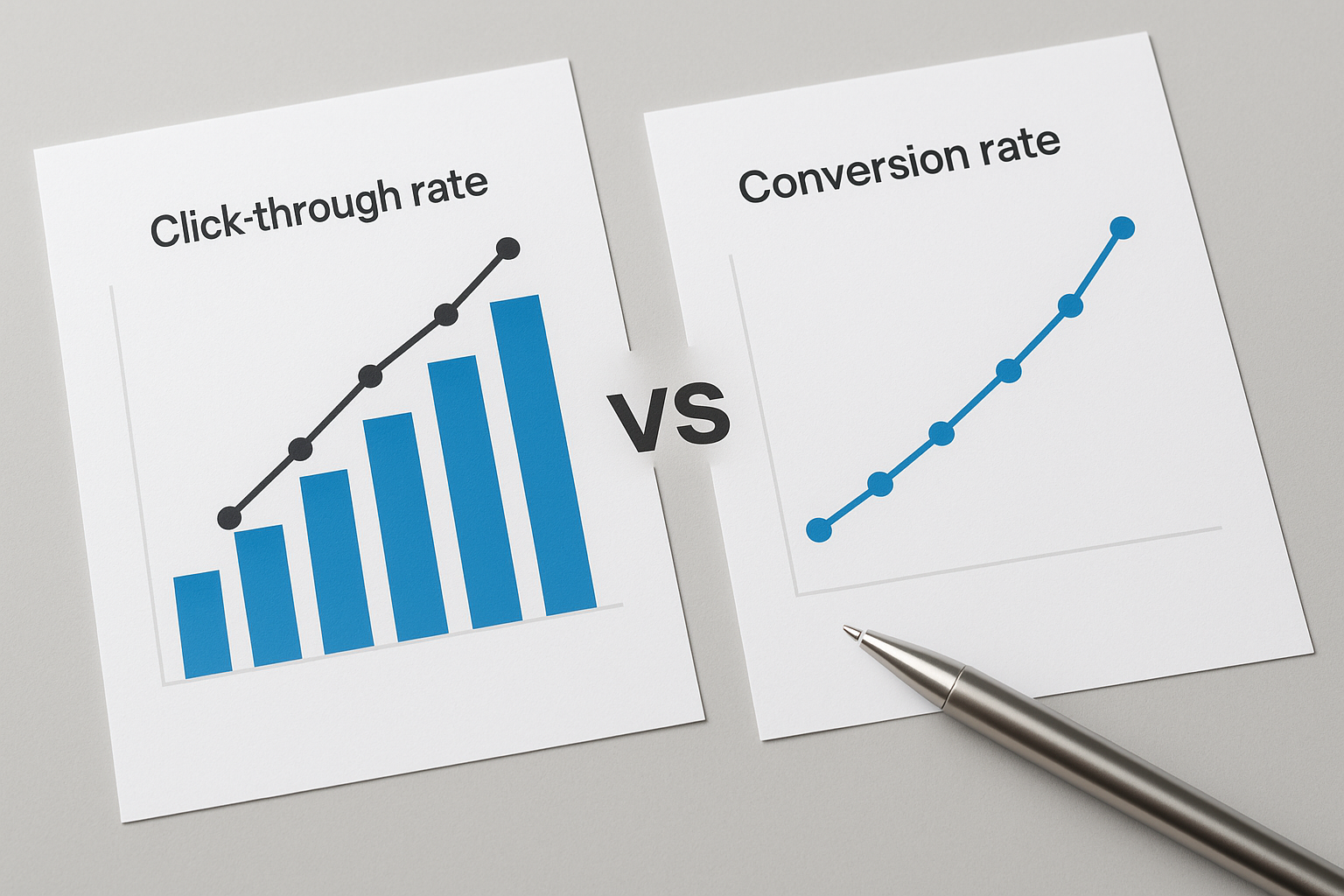
    Most marketers have celebrated a campaign with a gleaming click-through rate only to watch the revenue figures sit there, entirely unbothered. The two metrics feel related, they are related, but click-through rate vs conversion rate is not a debate about which one matters more. It is a question of where in the funnel your problem actually lives.

    What each metric is actually measuring

    CTR is the ratio of clicks to impressions: how many people found your ad, search listing, or email link compelling enough to act on. Conversion rate (CVR) is the ratio of completed goals to the clicks that arrived on your page. The denominator changes, impressions for CTR, visits for CVR, which is why the two metrics respond to entirely different levers. A punchy headline and sharp creative drive CTR; a credible offer, a fast-loading page, and a frictionless form drive CVR. Improving one does not automatically improve the other.

    The relationship is multiplicative: conversions = impressions × CTR × CVR. Pull either lever and the final number moves, but only if the other lever is not broken.

    The patterns and what they mean

    There are really only three situations worth distinguishing, and each points to a different fix.

    • CTR is weak, CVR is reasonable. People are not arriving in meaningful numbers. The problem is at the entrance, the creative, the headline, the targeting, or the relevance of the ad to its audience. More budget will not help; better messaging will.
    • CTR is healthy, CVR is poor. People are turning up and leaving without doing anything. The problem is downstream, on the landing page or inside the conversion flow, and it usually signals a mismatch between what the ad promised and what the page delivered. Pouring more spend into a higher CTR here is simply paying to import more disappointed visitors.
    • Both are low. Fix CTR first to get enough traffic to diagnose and test, whilst simultaneously removing obvious friction from the landing page, slow load times, a broken form, or a request for far too much information before the visitor has any reason to trust you.

    The second scenario is the one that trips up the most teams, because a healthy CTR feels like success. It is attention, not revenue. A campaign pulling 6% CTR with a 1% conversion rate is considerably less useful than one pulling 3% CTR with a 5% conversion rate, even though the first looks better on a headline dashboard.

    Where budget decisions go wrong

    The common mistake is to optimise whichever metric is easiest to move rather than whichever one is actually broken. CTR is often easier to shift in the short term, rewrite a headline, sharpen a subject line, swap a creative, so there is a temptation to keep chasing it even when conversion rate is the real culprit. The outcome is spending more to drive more traffic into a funnel that does not work, which is an efficient way to burn a budget without troubling the accounts team.

    On the other side, a marketer who ignores CTR entirely and fixates on conversion rate optimisation whilst traffic volumes are too thin will find themselves A/B testing landing pages with sample sizes so small the results are statistically meaningless. You need enough people arriving to actually learn anything.

    Where to start

    Compare your CTR against channel benchmarks. Google Search ads typically sit between 3% and 6% for well-targeted campaigns; display advertising operates at roughly 0.1%; email and organic search have their own scales entirely. If you are significantly below the relevant benchmark, the entrance is the problem. If you are at or above it and still not converting, look downstream.

    Track both metrics in the same view, connected across the funnel, so you can see how CTR from one channel flows into CVR on the destination page. GA4, paired with whichever ad platform you use, gives you this picture without needing a separate tool. The goal is to stop reading CTR and CVR in separate reports and start reading them as a sequence that reveals exactly where the funnel is leaking.

  • Why Your Call-to-Action Button Is Getting Ignored

    Why Your Call-to-Action Button Is Getting Ignored

    If your call to action button is not converting, the most likely explanation isn’t your product, your price, or your traffic quality, it’s one of four repeatable mistakes that show up on virtually every underperforming page.

    The copy is describing an action, not a benefit

    “Submit,” “Click Here,” and “Get Started” all describe what the user does, not what they get. The button label is the last thing a visitor reads before deciding whether to trust you with a click, so spending that real estate on a verb like “Submit” is a waste. PartnerStack switched its homepage CTA from “Book a Demo” to “Get Started” and saw conversions jump from 6.66% to 14.09%, and the most plausible reason, as their team noted, is that one framing felt like helping while the other felt like being put into a sales process.

    First-person phrasing sharpens this further. “Start My Free Trial” tends to outperform “Start Your Free Trial” because it creates a small sense of ownership before the click happens. The change costs nothing and takes thirty seconds to test in Optimizely or VWO.

    Button text should be two to five words. If you need to explain more, add a single line of smaller subtext directly beneath the button, something like “No credit card required” or “Takes 2 minutes”, but keep the button label itself short and specific.

    Your button doesn’t visually interrupt the page

    The single most effective design variable isn’t the color you pick, it’s the contrast between the button and everything around it. Speero’s meta-analysis of button color tests found that only one in seven color tests produces a statistically significant result, but when contrast is the mechanism, the average lift runs around 49%. HubSpot’s own internal test found a 21% lift from switching a green button to red on a page that had a predominantly cool-toned design, the red stood out harder against white and gray backgrounds, which is the whole explanation.

    If your page is light and cool-toned, a warm orange or red button will pull the eye. If the page is dark, bright yellow or white works. The rule isn’t “use red”, it’s “use whatever color your page isn’t.” Surround the button with whitespace so it doesn’t compete with surrounding text and graphics; a button buried in a grid of other elements is functionally invisible no matter what color it is.

    Too many CTAs, or only one placed too early

    Paradoxically, both problems are common. Unbounce’s analysis of 18,639 landing pages found that single-CTA pages convert at 13.5%, while pages with three or more CTAs drop to 10.5%, and at $10 per click, that gap compounds into roughly $21 more per lead, every lead, every month. Decision paralysis is real: when you ask visitors to choose between “Book a Demo,” “Download the Guide,” “Watch the Video,” and “Start a Free Trial” all on the same page, many choose nothing.

    But the opposite mistake, placing your only CTA above the fold before you’ve given the visitor any reason to click, is equally damaging. Conversion consultant Michael Aagaard moved a CTA to the bottom of a long landing page and saw a 304% conversion increase, because the supporting argument came before the ask rather than after. The fix is to place one primary CTA at the point where the visitor has seen enough to act, then repeat that same CTA lower on the page for people who scroll farther. You aren’t adding a competing offer; you’re adding a second on-ramp to the same destination.

    The button doesn’t match what the visitor is ready to do

    “Shop Now” on an awareness-stage ad and “Learn More” on a product page where someone is clearly ready to buy are both misalignments between the CTA and the visitor’s actual state of mind. The copy on the button signals what kind of commitment you’re asking for, and asking for too much too early is the fastest way to lose the click. Air Canada tested a shift from “Book Now” to “See Deals” on a campaign where users were still in browsing mode, and the latter produced 220% more click-throughs, not because one phrase is universally better, but because it matched what that particular audience was actually ready to do.

    Map your CTAs to buying stage: awareness pages get low-commitment language (“See How It Works,” “Explore the Options”), consideration pages can push harder (“Get the Free Assessment,” “Compare Plans”), and decision pages earn the right to say “Buy Now” or “Start Today.”

    How to test your way to a fix

    Run one A/B test at a time through a tool like VWO, Optimizely, or Google Optimize, copy first, then contrast, then placement. Changing all three simultaneously tells you something changed but not what. A heatmap tool like Hotjar or Microsoft Clarity will show you whether visitors are even reaching the button before they leave, which tells you immediately whether placement is the primary problem. If the scroll depth data shows 60% of users never see your CTA, no amount of copy optimization will fix the conversion rate.

    Does button color actually matter?

    It matters less than contrast. The color itself has minimal psychological effect; what matters is how much the button stands out against the surrounding page. Test the color that provides the highest visual contrast for your specific design, rather than chasing a universally “best” color.

    How long should CTA button text be?

    Two to five words is the practical sweet spot. Shorter is often better, provided the label communicates a clear benefit or outcome rather than just a generic action word like “Submit” or “Click Here.”

    Should I put my CTA above or below the fold?

    Both, ideally, but above the fold only works if the visitor already has enough context to act. For longer or more complex pages, place the primary CTA after the key value proposition and repeat it at the bottom. Use scroll-depth data from Hotjar or Clarity to find where most visitors stop reading, then position a CTA just before that point.